
Ensuring the best quality and safety, everywhere
All your certificates, always in your hand.
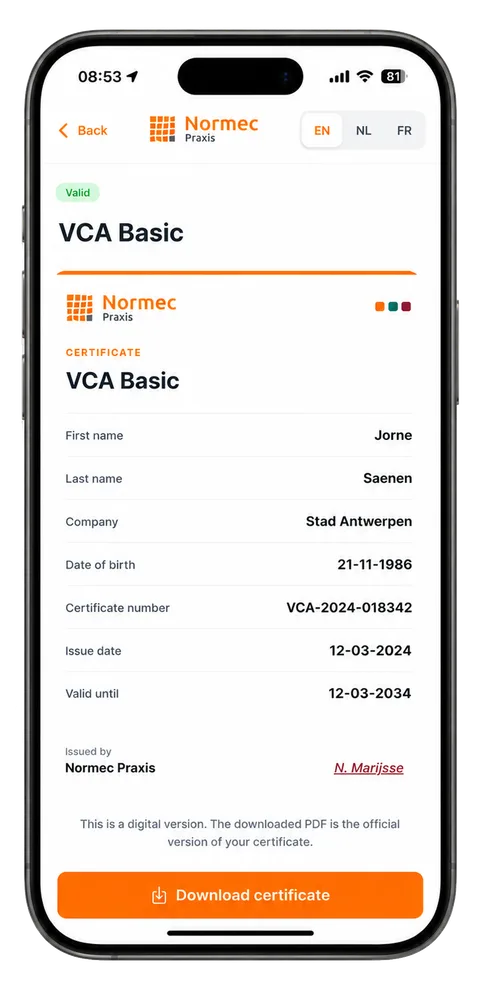
From opening the app to a downloaded PDF in under a minute.
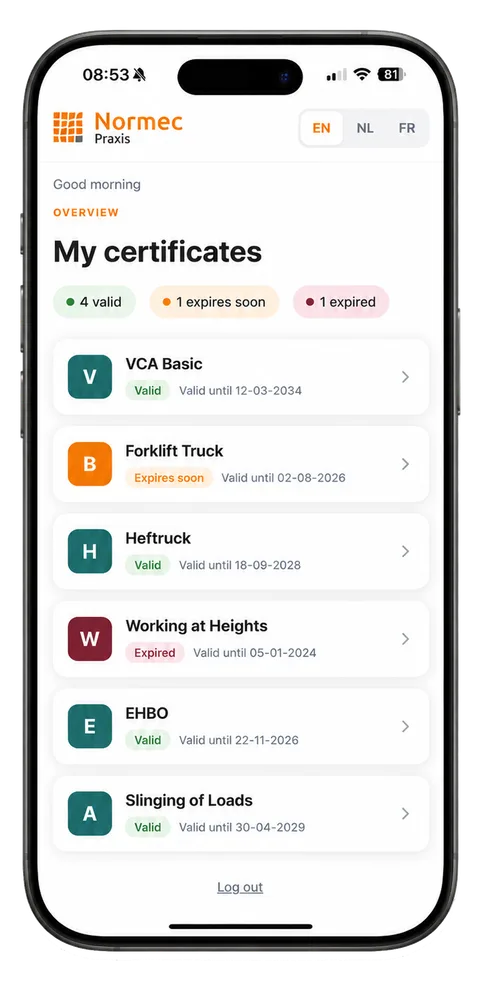
View, manage and download your training certificates.


About us
Normec Praxis
Normec Praxis is the specialist in professional safety training. Every year, thousands of participants earn a certificate they need on the job.
CertProof puts those certificates straight into the participant’s hands.
More about Normec Praxis- participants a year
- 10,000+
- courses
- 100+
- locations
- 82
- languages
- 18
How do I sign in?
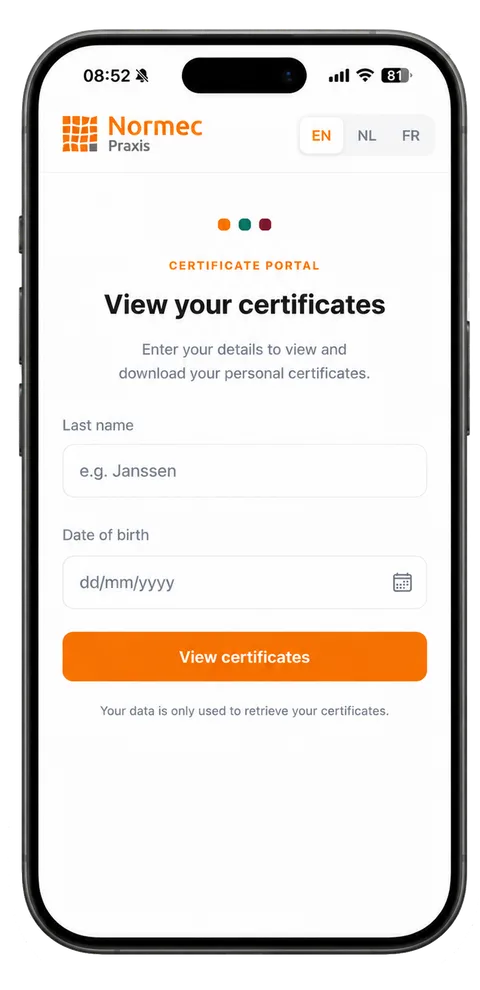
You enter your last name and your date of birth. That is all: there is no account to create and no password to remember.
My certificate is not in the list. What now?
Ask your employer first, and check that your last name and date of birth match exactly the details you registered with. A certificate appears once the training has been closed administratively. That is done within a week.
If it still does not show up, send us these details:
- First name
- Last name
- Date of birth
- Place of birth
- Company
- When did you take the course?
My name changed, or I have a double surname. What now?
Search using the name you registered with at the time — that is the name on the certificate. With a double surname, try both parts, with and without the hyphen. If nothing turns up, let us know your former and current name and we will put it right.
Report a name changeCan my employer request my certificates?
Not through CertProof. The app only shows certificates to the person who earned them. If your employer needs proof, download the official PDF yourself and forward it. Employers who need a full overview of their staff should contact Normec Praxis.
There is a mistake on my certificate. What now?
A mistake in your name, date of birth or course details is corrected at the source; the certificate then updates itself in the app. Tell us what is wrong and what it should say.
Report a mistakeHow long does my certificate stay valid?
That depends on the training. In the app, every certificate shows the exact date it is valid until, plus a warning when it is about to expire.
Is the downloaded PDF an official document?
Yes. The screen in the app is a digital version; the downloaded PDF is the official version of your certificate and can be forwarded or printed as is.
I cannot download the PDF. What does “Pending” mean?
That certificate has not been closed administratively yet — usually the payment still has to be processed. You can already see the details and the expiry date; the download button appears once everything is settled. If it takes longer than a week, ask your employer about it.
What happens to my data?
Your last name and date of birth are used solely to retrieve your certificates. Normec Praxis does not use them for marketing and does not share them with third parties.
Window of Opportunities
Your certificate is ready
Last name, date of birth, done. No account needed.